

Send messages
Once you have the group chat or DM conversation, you can send messages in the conversation.
// For a DM conversation
await dm.sendText('Hello world');
// OR for a group chat
await group.sendText('Hello everyone');Control message visibility and push notifications
Use MessageVisibilityOptions to override the default shouldPush value for a message. This controls whether the message triggers push notifications on recipient devices. This is useful for messages that shouldn't interrupt the recipient, such as typing indicators or background updates.
To learn more about how shouldPush is used in the push notification filtering flow, see Understand message filtering.
| Option | Description |
|---|---|
shouldPush | When false, the message won't trigger push notifications on recipient devices. Defaults to true. |
Optimistically send messages
When a user sends a message with XMTP, they might experience a slight delay between sending the message and seeing their sent message display in their app UI.
Typically, the slight delay is caused by the app needing to wait for the XMTP network to finish processing the message before the app can display the message in its UI.
Messaging without optimistic sending:
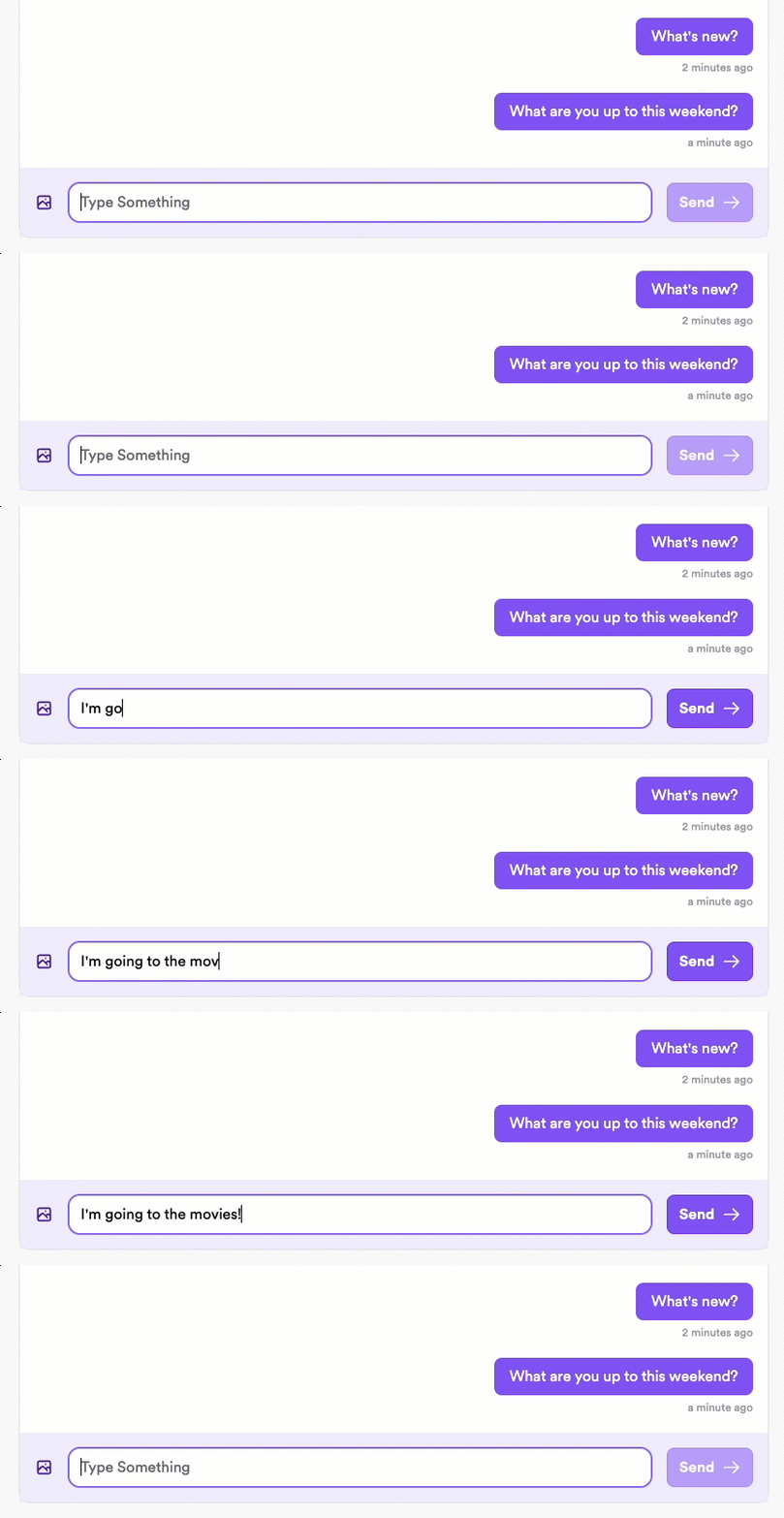
Note the slight delay after clicking Send.
Implement optimistic sending to be able to immediately display the sent message in the sender's UI while processing the message in the background. This provides the user with immediate feedback and enables them to continue messaging without waiting for their previous message to finish processing.
Messaging with optimistic sending:
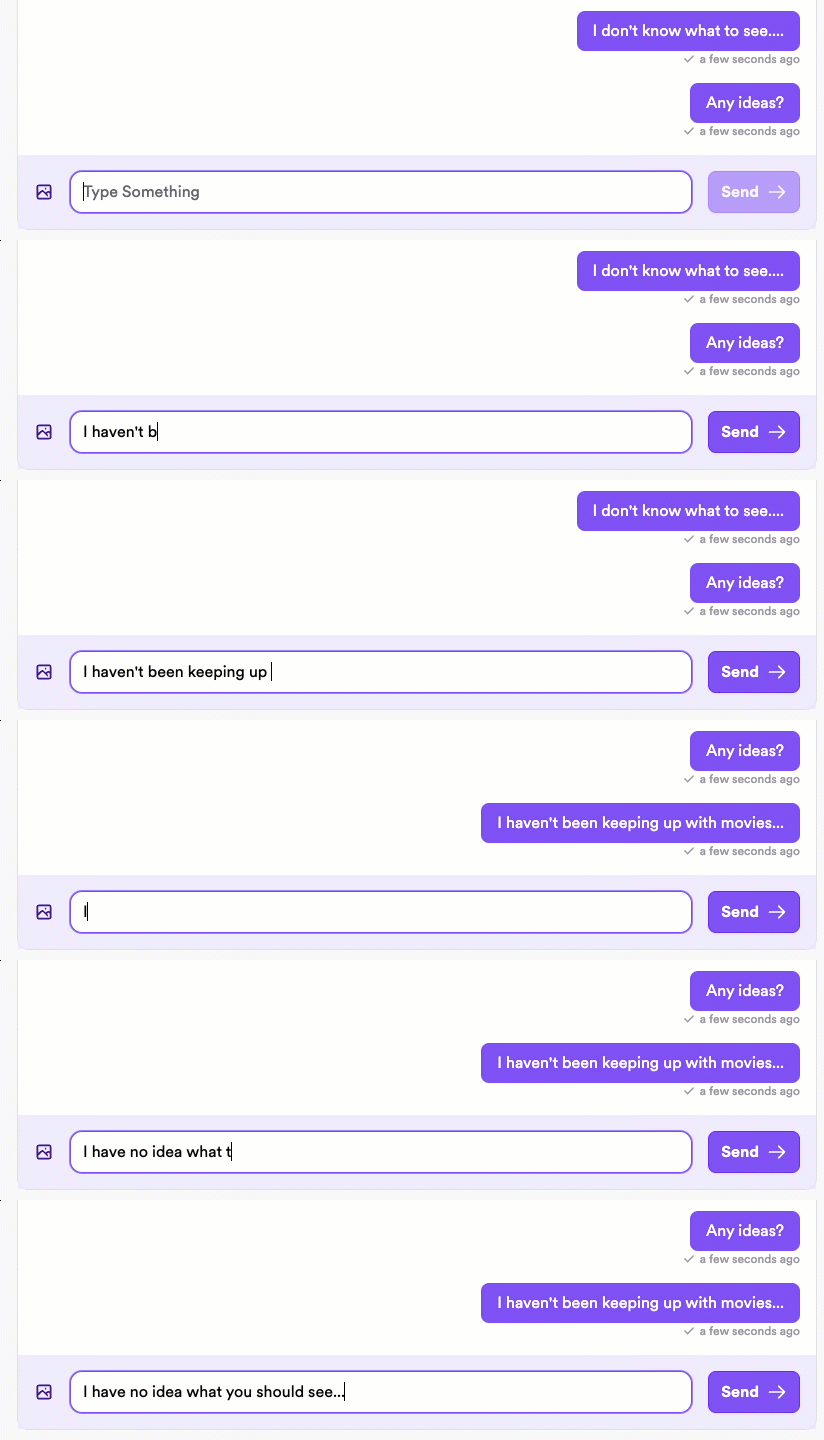
The message displays immediately for the sender, with a checkmark indicator displaying once the message has been successfully sent.
How it works
There are two steps to optimistically send a message:
- Send the message to the local database so you can display it immediately in the sender's UI.
- Publish the message to the XMTP network so it can be delivered to the recipient.
1. Optimistically send a message locally
Send the message to the local database. This ensures that the message will be there when you query for messages and can immediately display the message in the sender's UI.
// Optimistically send the message to the local database
await conversation.sendText('Hello world', true);2. Publish an optimistically sent message to the network
After optimistically sending a message, use publishMessages to publish the message to the XMTP network so it can be delivered to recipients.
// Publish all pending optimistically sent messages to the network
// Call this only after using the optimistic parameter to send a message locally
async function sendMessageWithOptimisticUI(conversation, messageText) {
try {
// Add message to UI immediately (optimistic = true)
await conversation.sendText(messageText, true);
// Actually send the message to the network
await conversation.publishMessages();
return true;
} catch (error) {
console.error('Failed to send message:', error);
return false;
}
}Key UX considerations for optimistically sent messages
- After optimistically sending a message, show the user an indicator that the message is still being processed. After successfully sending the message, show the user a success indicator.
- An optimistically sent message initially has an
unpublishedstatus. Once published to the network, it has apublishedstatus. You can use this status to determine which indicator to display in the UI.
- An optimistically sent message initially has an
- If an optimistically sent message fails to send it will have a
failedstatus. In this case, be sure to give the user an option to retry sending the message or cancel sending. Use a try/catch block to intercept errors and allow the user to retry or cancel.
Control publication of optimistic messages
By default, publishMessages() publishes all prepared messages. For more control, use the noSend parameter when preparing a message. The message won't be published until you explicitly call publishMessage(messageId).
This is useful when sending remote attachments. You can validate that the attachment upload succeeded before publishing. If the upload failed, you can choose to delete the local prepared message instead of publishing it.
// Prepare message without auto-publishing
const messageId = await conversation.prepareMessage(content, { noSend: true });
// Publish the specific message when ready
await conversation.publishMessage(messageId);
// Or delete it locally if needed
await conversation.deleteMessageLocally(messageId);